
Open menu dropdown
MazWindowMockup
MazWindowMockup renders a macOS-style window frame in three variants — browser, terminal, and editor — to showcase content, demos, or code examples in your documentation or UI.
Before use it, you should install the MazUi plugin in your project, follow instructions in Getting Started
Optional: shiki for code variants
When you pass the code prop, MazWindowMockup mounts MazCodeHighlight internally for syntax highlighting. This requires the shiki optional peer dependency to be installed. See the MazCodeHighlight installation note.
Browser variant
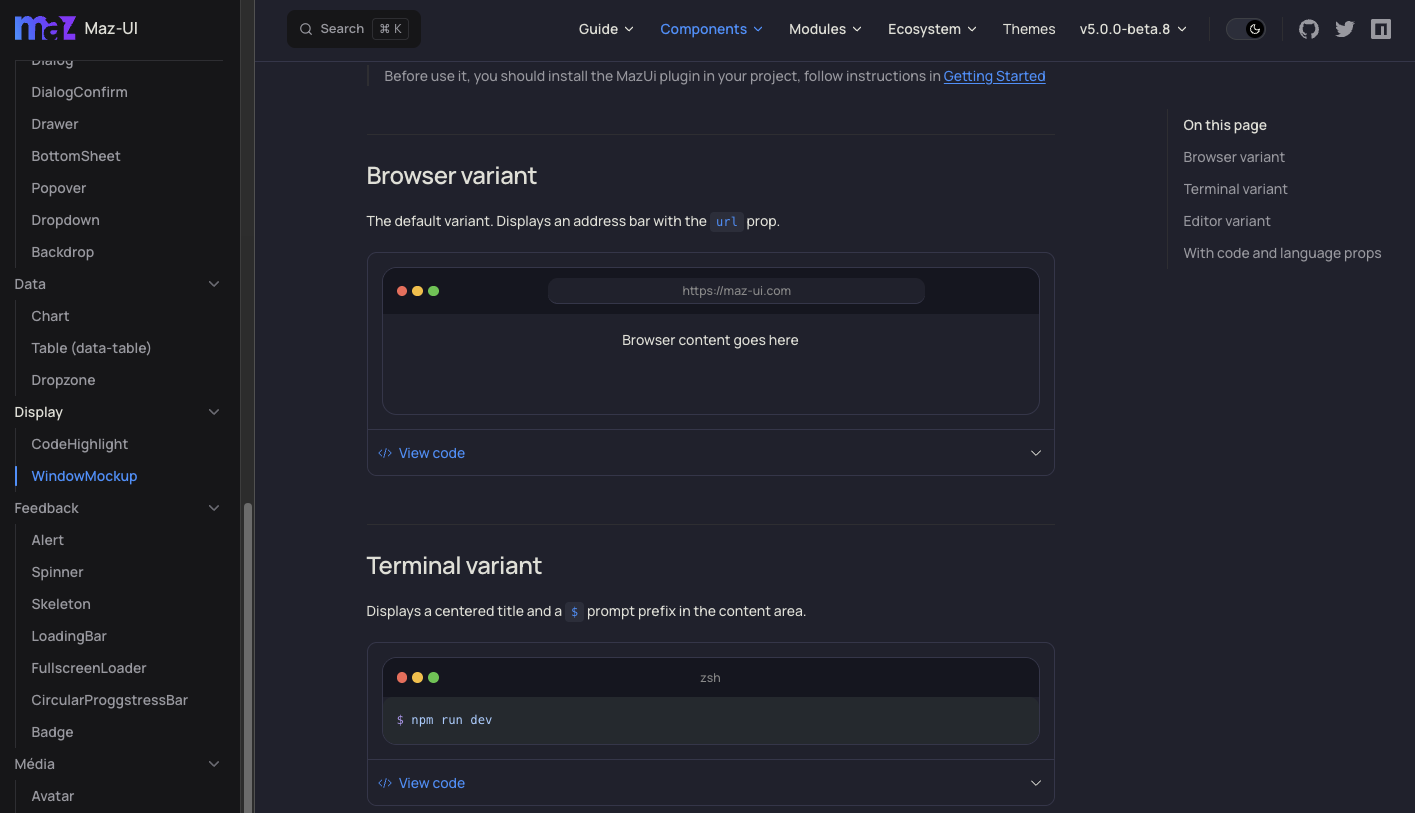
The default variant. Displays an address bar with the url prop and a copy-URL button on the right side of the bar.
Browser content goes here
Hide the URL copy button
Set :hide-url-copy="true" to remove the copy-URL button from the title bar.
With screenshot
Use this variant to display a screenshot of a website.
Terminal variant
Displays a centered title and a $ prompt prefix in front of the code (when code is provided). The prompt prefix is not copied to the clipboard — the copy button only writes the raw code value.
bash
Custom prompt
Replace the default $ with any character via the prompt prop.
bash
Without prompt
Hide the default prompt by setting hide-prompt to true.
bash
Editor variant
Shows a filename tab anchored to the bottom of the title bar — matching the look of real editors like VSCode.
vue
With code and language props
Pass code and language to display highlighted source code via MazCodeHighlight. The inner highlighter automatically renders with squared corners so it sits flush against the window's border.
ts
Empty-state placeholder
When neither code nor a slot content is provided, the content area renders an empty placeholder. Pass the optional label prop to display a centered text inside it.
Preview
Custom translations
The URL copy button's aria-label and tooltip come from the @maz-ui/translations package (windowMockup.copyUrlToClipboard / windowMockup.urlCopiedToClipboard). Override per-instance with the translations prop:
For app-wide translations, set up the maz-ui translations plugin and the component will pick up your locale automatically.
Props
| Name | Description | Type | Required | Default | Possible values |
|---|---|---|---|---|---|
| id | Stable id used to scope the empty-state SVG pattern. Auto-generated if not provided. | string | No | undefined | - |
| variant | Window style variant | MazWindowMockupVariant | No | browser | browser' | 'terminal' | 'editor |
| url | URL to display in the browser address bar (browser variant only) | string | No | localhost | - |
| filename | Filename to display in the editor tab (editor variant only) | string | No | index.vue | - |
| title | Title to display in the terminal title bar (terminal variant only) | string | No | zsh | - |
| min-height | Minimum height of the content area as a CSS value (e.g. '200px') | string | No | undefined | - |
| code | Source code to display using MazCodeHighlight. Takes priority over the default slot. | string | No | undefined | - |
| language | Language identifier for syntax highlighting (e.g. 'vue', 'ts', 'bash') | string | No | undefined | - |
| label | Label displayed inside the empty-state placeholder when no code and no slot content are provided. | string | No | undefined | - |
| hide-prompt | Whether to hide the terminal prompt prefix (no-op on non-terminal variants) | boolean | No | false | - |
| prompt | Prefix to display before the code in the terminal (terminal variant only) | string | No | $ | - |
| hide-url-copy | Hide the copy-to-clipboard button next to the URL bar (browser variant only). | boolean | No | false | - |
| translations | Custom translations for the component. Override either key independently. | Partial<MazUiTranslationsNestedSchema['windowMockup']> | No | undefined | - |
Slots
| Name | Description | Bindings |
|---|---|---|
| default | Free content (image, interface, etc.) shown when code prop is not set. |